Vents MagaZine Music and Entertainment Magazine

Related Articles



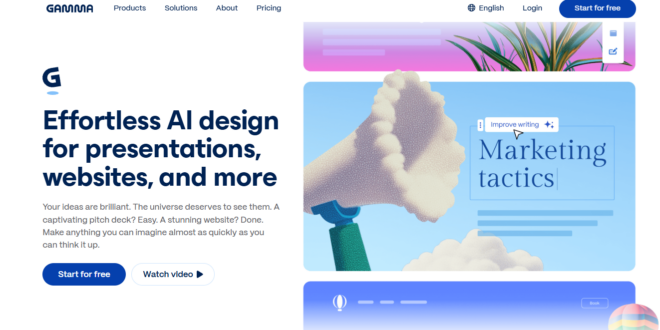
Gamma became popular because it made presentation creation feel fast and easy. You could paste rough notes, type a prompt, or start with a simple idea, and within minutes, you had a clean-looking deck. That is still one of Gamma’s biggest strengths.
In 2026, though, the question is not whether Gamma can create slides. It can. The real question is whether it is still the best choice for the kind of presentations people need now.
That is where things start to change.
More tools now offer better slide quality, more layout control, cleaner exports, and stronger editing options. So while Gamma is still useful, it is not always the strongest fit anymore, especially for polished client decks, pitch decks, and presentations that need a more refined finish.
This guide looks at where Gamma still works well, where it starts to feel limited, and why some users are now choosing other tools instead.
Quick Verdict: Is Gamma Still Worth It?
Yes, if your main goal is speed.
Gamma is still a good option for quick first drafts, internal decks, and async-style presentations where you want something presentable without spending too much time building from scratch.
No, if you want more polish.
Once presentation quality, editing control, and cleaner PowerPoint workflows become more important, Gamma starts to feel less convincing. That is where other options begin to stand out more clearly.
Gamma at a Glance
| Category | Gamma AI |
| Best for | Fast rough drafts and async decks |
| Main strength | Speed and simplicity |
| Main drawback | Less control for polished presentation work |
| Better for | Internal decks, quick idea sharing, early drafts |
| Less ideal for | High-stakes presentations, pitch decks, stronger export workflows |
What Gamma Still Does Well
Gamma still gets a few important things right.
The biggest one is speed. It is one of the easiest tools for turning a rough idea into a usable draft quickly. That makes it helpful when you need to move fast and do not want to spend too much time starting from zero.
Another advantage is simplicity. Gamma stays fairly easy to understand, which is part of what makes it attractive to new users and busy teams.
It also works well for lighter presentation workflows. If the goal is to share ideas, build internal decks, or create something clean for async viewing, Gamma can still do that well. It is especially useful when you care more about getting a draft done quickly than shaping every slide in detail.
Where Gamma still makes sense
| Use Case | Fit |
| Internal decks | Strong |
| Quick first drafts | Strong |
| Async sharing | Strong |
| Pitch decks | Mixed to weak |
| Client-facing decks | Mixed to weak |
| PowerPoint-heavy workflows | Mixed to weak |
Where Gamma Starts to Feel Limiting
Gamma usually feels strongest at the start of the workflow. The limitations tend to show up later.
One issue is that the decks can start to feel repetitive. The slides may look clean, but different ideas can end up feeling too similar. That becomes a bigger problem when the presentation needs to look more tailored or make a stronger impression.
Control is another issue. A quick first draft is useful, but many presentations need more shaping after that. Once you start refining content or improving how each slide communicates, Gamma can feel less flexible than tools that give you more layout choice and better editing depth.
Export quality can also matter. For users who rely on PowerPoint or need smoother handoff, Gamma may not always feel like the strongest fit.
Why some users move on from Gamma
| Pain Point | Why It Matters |
| Repetitive slide feel | Different slides can start to look too similar |
| Less layout flexibility | Harder to shape slides around the message |
| Limited refinement depth | Better for drafts than deeper polishing |
| Export concerns | Can be less ideal for PowerPoint-heavy workflows |
That is the main takeaway. Gamma is still useful, but it is no longer the best fit for everyone.
If speed matters most, it still holds up well. If you want stronger presentation quality, more flexibility, and better control over the final result, this is where the best Gamma alternatives become more relevant.
The Best Gamma Alternatives in 2026
Gamma is still useful for fast first drafts, but it is no longer the only strong option in this space.
Users now have better choices if they want stronger slide quality, more editing control, cleaner exports, or a workflow that fits the way they already work.
Best Gamma Alternatives at a Glance
| Tool | Best For | Paid Plan Starts At | Main Tradeoff |
| Alai | High-quality presentations without compromising on speed | $20/month | No Google Slides integration |
| Plus AI | Google Slides and PowerPoint users | $10/user/month billed annually | More tied to existing slide workflows |
| Beautiful.ai | Structured business decks | $12/month billed annually | Can feel rigid |
| Canva | Broad design workflows | Public paid plans available | Less presentation-focused |
| Pitch | Team collaboration | Public paid plans available | Less focused on polished slide quality |
| SlidesAI | Quick draft generation | Public paid plans available | More limited for advanced deck work |
| Prezent | Structured business storytelling | Custom pricing | More specialized and less flexible |
| PowerPoint + Copilot | Microsoft-heavy workflows | Depends on plan | Best when your team already works in Microsoft |
This table makes the shortlist easier.
If you want better presentation quality, Alai stands out. If you want to stay inside Google Slides or PowerPoint, Plus AI makes more sense. If you want more structure, Beautiful.ai is easier to understand. If you want one wider design platform, Canva is the more flexible option.
1. Alai
Alai is the strongest Gamma alternative when speed alone is not enough and the presentation still needs to look polished by the end.
The core difference is focus. Gamma is a multi-format tool built for documents, web pages, and slides using the same building blocks. Because those components have to work across formats, the output can feel more like a formatted document than a finished deck. Layouts can also start to repeat over time. That becomes a problem in client-facing or investor settings where the presentation needs to feel distinct and deliberate.
Alai is built specifically for slide design and storytelling, and that distinction shows in the output. Where Gamma generates one layout per slide and leaves you regenerating until something works, Alai gives you four distinct layout options for every prompt. That gives users more control from the start and cuts down on time wasted trying again and again.
Editing is another area where the gap widens. Gamma can feel more slide by slide, while Alai’s context-aware AI keeps track of the full presentation, so updates stay aligned with the theme, content, and design already established across earlier slides. Agent Mode reinforces this further, letting you describe changes in plain language and apply them more smoothly.
For presentations that need more visual depth, Nano Banana 2 integration lets you create and edit image-heavy slides, including mockups, infographics, and concept visuals, directly inside the deck. Built-in analytics on shared links show which slides viewers spend the most time on and where they drop off. PowerPoint exports also match the editor better, which addresses one of the biggest issues Gamma users run into.
Why Alai stands out
- Four layout options per slide instead of one
- Presentation-specific design with stronger visual depth
- Context-aware AI that keeps the full deck consistent
- Agent Mode for natural-language editing
- Nano Banana 2 integration for image-heavy slides
- Built-in analytics
- Cleaner PowerPoint exports
Best for
- Pitch decks
- Strategy presentations
- Client-facing decks
- Sales presentations
- Polished business presentations
Pros
- Stronger slide quality for presentations that need to look polished and professional
- Four layout options reduce wasted time regenerating slides
- Better deck consistency across the full presentation
- More visual flexibility for high-stakes decks
- Better PowerPoint exports for smoother handoff
Cons
- Built only for presentations, so it does not support Gamma’s multi-format output for documents and web pages
Pricing
Alai has a free plan with 300 credits, and paid plans start at $20/month.
If you are comparing the best Gamma alternatives, Alai is the clearest choice when your priority is presentation quality, not just speed.
2. Plus AI
Plus AI is a strong option for users who want help inside tools they already know. Instead of moving users into a separate workflow, it fits more naturally into Google Slides and PowerPoint-based work. This makes it practical for consultants, business teams, and users who already rely on those tools daily.
Best for: Google Slides users, PowerPoint-based teams, consultants, business teams with existing workflows
Pros: Easier adoption, works inside familiar tools, practical for office-based teams
Cons: More tied to existing slide environments, less distinct if you want a more presentation-first standalone tool
Pricing: Starts at $10/user/month billed annually
3. Beautiful.ai
Beautiful.ai is a good fit for users who want a more guided and structured way to build presentations. Its strength is consistency. That makes it useful for repeatable business decks where users want cleaner output without making too many design decisions on each slide.
Best for: Repeatable business decks, team presentations, users who prefer structure
Pros: Guided design process, cleaner consistency, less design guesswork
Cons: Can feel rigid, less flexible for more varied slide types
Pricing: Starts at $12/month billed annually
4. Canva
Canva is worth considering when presentations are only one part of your work. Its main advantage is convenience. You can use it for slides, graphics, branded content, and other design tasks in one place. That makes it useful for marketers, startup teams, and users who want one flexible platform.
Best for: Marketers, startup teams, mixed design workflows, teams already using Canva
Pros: Easy to use, useful for more than presentations, flexible for mixed content needs
Cons: Less presentation-focused, not always the strongest for higher-end slide quality
Pricing: Free plan plus paid tiers
5. Pitch
Pitch is a better fit for teams that work on presentations together. Instead of focusing mainly on fast solo drafting, Pitch feels more useful when presentations are part of an ongoing team workflow. If multiple people need to update, review, and reuse decks, that kind of setup matters.
Best for: Startup teams, sales teams, shared presentation workflows, recurring team decks
Pros: Strong for collaboration, useful for shared deck creation, better for team-based presentation work
Cons: Less focused on higher-end slide polish, not always the best choice if final presentation quality is the main goal
Pricing: Free plan, with paid plans for growing teams and enterprise use
6. SlidesAI
SlidesAI makes more sense when the goal is simple deck creation with very little setup. It is a lighter option that can work well for basic business decks, classroom presentations, and early drafts where speed matters more than deeper control.
Best for: Students, teachers, simple business decks, quick draft creation
Pros: Easy to start, fast for basic presentation work, useful for lighter workflows
Cons: More limited for advanced decks, less convincing when presentation quality expectations go up
Pricing: Free plan and public paid plans
How to Choose the Right Gamma Alternative
The best option depends on what matters most in your work.
If you want better presentation quality and more control, Alai is the strongest choice. If you want to stay inside Google Slides or PowerPoint, Plus AI makes more sense. If your team prefers guided, structured decks, Beautiful.ai is easier to manage. If presentations are only one part of your wider design work, Canva is a practical option. If collaboration matters most, Pitch is the better fit. If you only need simple drafts fast, SlidesAI can still do the job. For more formal business communication, Prezent is more relevant. And if your team already depends on Microsoft, PowerPoint + Copilot may be the easiest path.
The easiest way to choose is to start with your real use case:
- Do you want speed first?
- Do you want better polish?
- Do you need stronger exports?
- Do you need team collaboration?
- Do you want to stay inside tools you already use?
That usually makes the answer much clearer.
Final Thoughts
Gamma is still a useful tool in 2026. It remains a good option for fast first drafts, internal decks, and lighter async presentations. But it is no longer the clear best choice for everyone.
If you want stronger slide quality, more editing control, better workflow fit, or a deck that feels more polished by the end, there are now better options depending on your needs.